Mesh Operations
Merge nodes
Merge the selected nodes into a single node.
- Advantage: shorter project saving and loading times.
- Disadvantage: sub-part names are lost (single mesh structure).
Optimize model
Automatically decreases the mesh count and groups related sub-parts.
Mesh separation
- Loose Parts: separate objects one by one as loose parts.
- Sub-meshes: separate parts by material.
If the CAD model consists of one mesh it cannot be edited. After the mesh separation, sub-parts can be selected one by one.
0:00 / 0:00
Mesh bisect
Divide the geometry in any desired way. The operation splits the geometry into separate parts; afterwards the resulting parts can be selected, hidden or deleted as needed, and tracking edges can be created on the new geometry.
0:00 / 0:00
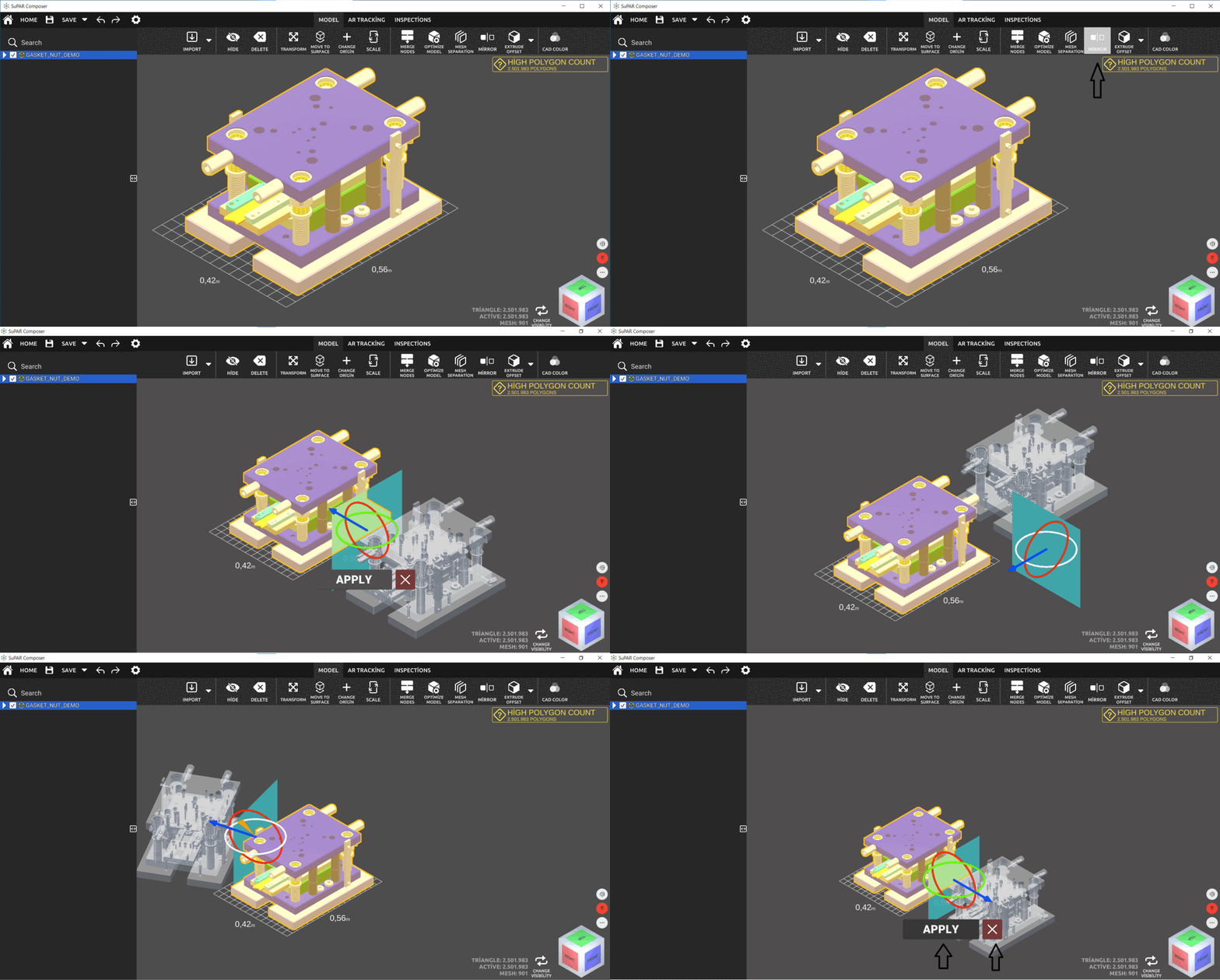
Mirror
Mirror the CAD data. If a part exists for one side only and the other side is needed, use the mirror function — for example, a left fixture set mirrored into a right fixture set.