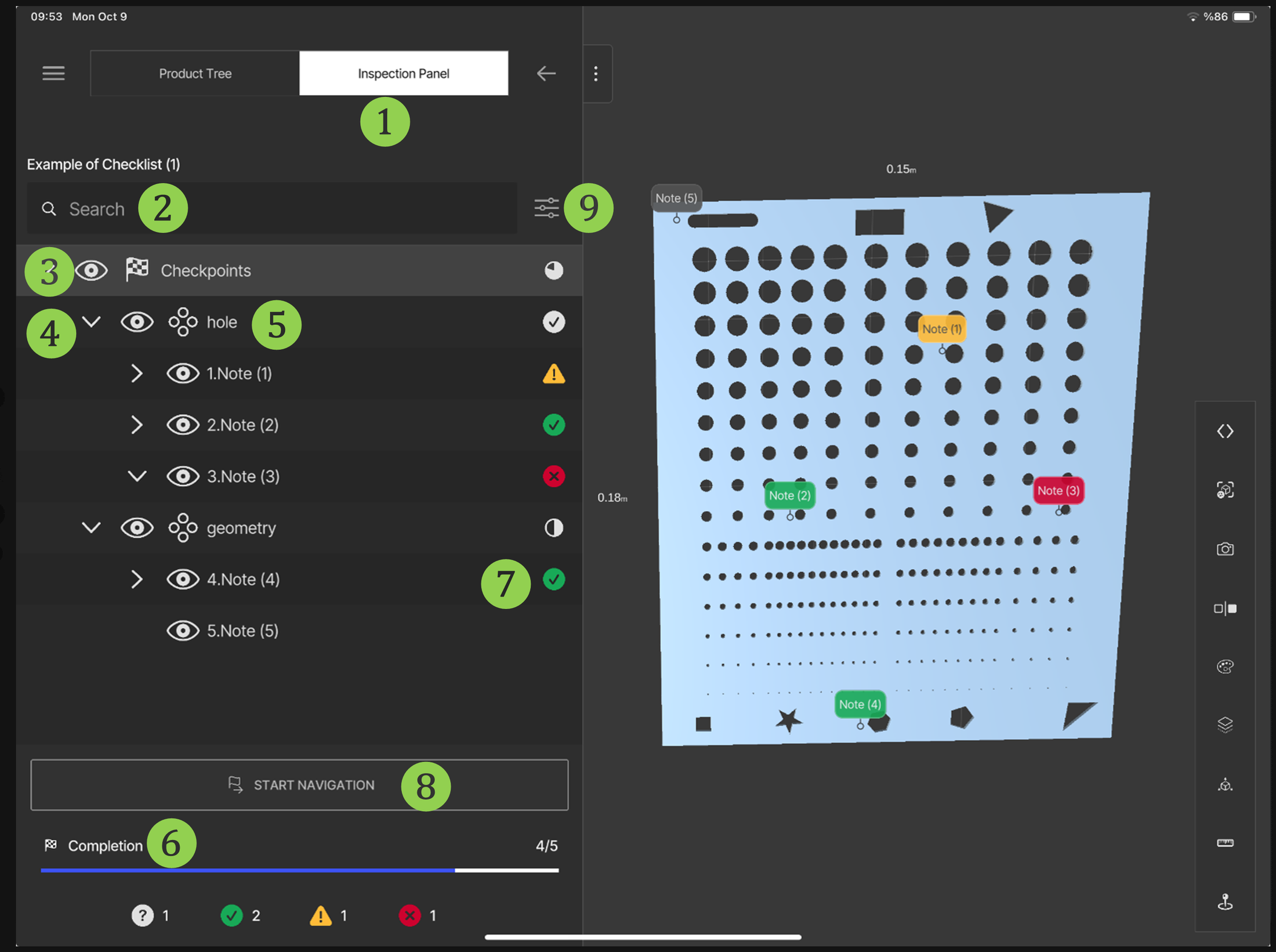
SuPAR AppInspection PanelCopy pageInspection Panel Product Tree Search Bar Hide / Show — hidden parts icon Expand / Collapse Groups Completion Status Start Navigation — see Navigation Change Visibility StagesSubmenu Overview